Pokemon Rejuvenation Download — Free V14 for PC, Mac & Linux
Pokémon Rejuvenation is completely free, and the current V14 version is distributed through the official download page. This guide covers every official build, system requirements, step-by-step install, how to update from v13.5, and answers about Android, ChromeOS Flex, EmuDeck and iOS. Unofficial fan guide.
Official V14 Download — All Platforms
Pokémon Rejuvenation is a free fan game built with RPG Maker XP by Jan and the Rejuvenation Team, in development for more than ten years. The latest version is V14, covering Chapters 1–16 of the main story. The game is only distributed through the official Rejuvenation page — always download from there so you get the genuine, up-to-date build. The official download page offers five builds:
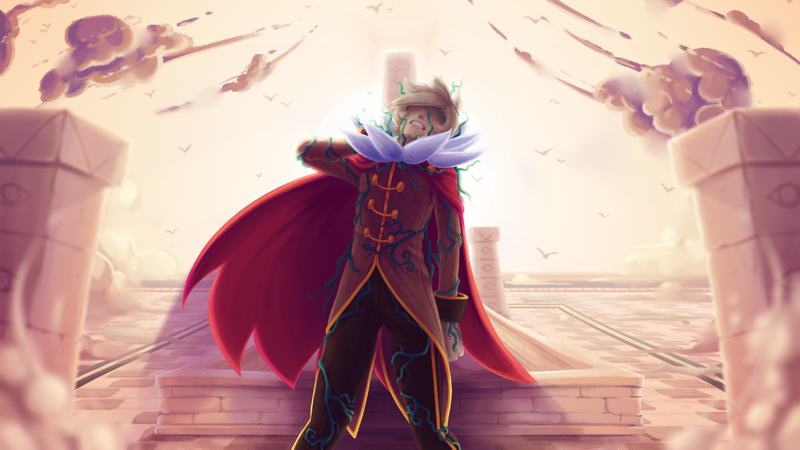
All five official builds ship the same V14 content — Chapters 1–16 — only the runtime differs. Desktop players pick the native Windows, Mac or Linux build; mobile players choose Kirin (officially recommended) or JoiPlay. Find your device in the table below, then grab the matching download card.
| Build | Platform | Notes |
|---|---|---|
| Windows | PC (Windows 7+) | The standard desktop build. Requires OpenGL 2.0 support. |
| Mac | Recent macOS | Official native Mac build — no emulator or Wine tricks needed. |
| Linux | Linux | Official native Linux build, also the route for ChromeOS Flex with the Linux container. |
| Kirin | Android / mobile | Official Android build; the developers recommend Kirin over JoiPlay — see our Pokemon Rejuvenation Android guide. |
| JoiPlay | Android / mobile | Alternative official Android build for the JoiPlay runtime. Usable, but engine-side bugs are likely and the team cannot fix them. |
Platform Comparison at a Glance
| Platform | Official support | Install difficulty | Recommended for | Things to know |
|---|---|---|---|---|
| Windows | Official native build (Windows 7+) | Easy — extract and run, no installer | Most desktop players | Requires OpenGL 2.0 support; antivirus may quarantine files — add the game folder to exclusions and re-extract |
| macOS | Official native Mac build | Easy — extract and run | Mac users | Requires a recent macOS version; no emulator or Wine tricks needed |
| Linux | Official native Linux build | Moderate — may need to mark the executable runnable or launch from a terminal | Linux users, and ChromeOS Flex devices with the Linux container enabled | Also the route for running the game on ChromeOS Flex |
| Android — Kirin | Official Android build; developers recommend Kirin over JoiPlay | Moderate — install the Kirin app, extract the game folder, add the game inside Kirin and launch | Players who want the most stable native mobile experience | Described as "significantly more stable" than JoiPlay, but engine-side bugs are still possible |
| Android — JoiPlay | Official Android build (alternative runtime) | Harder — install JoiPlay plus the RPG Maker XP plugin and run MapConverter first | Players who prefer JoiPlay's larger plugin ecosystem | Engine-side bugs are likely and unfixable by the team; convert maps to avoid black screens |
System Requirements
 Rejuvenation is lightweight compared with modern commercial games — most machines from the last decade run it without problems. These are the official requirements:
| Component | Minimum |
|---|---|
| OS | Windows 7+ / macOS (recent) / Linux |
| Graphics | OpenGL 2.0 |
| RAM | 2+ GB (4+ GB recommended) |
| Storage | 2 GB free disk space |
How to Play Pokemon Rejuvenation on PC
Installing the game on a desktop computer takes about five minutes. The same basic flow works for the Windows, Mac and Linux builds:
- Download the right build from the official download page — the Windows build on Windows, the Mac build on recent macOS, the Linux build on Linux.
- Extract the archive (a .zip or .7z file) into any folder you like. There is no installer — the game folder is the installation.
- Launch the game by running the executable inside the extracted folder. On Linux, you may need to mark the executable as runnable or launch it from a terminal.
- Set up your profile — the game walks you through name and password registration with Amanda at the start, exactly as the story intends.
That is the whole Pokemon Rejuvenation install process. If the game will not start, check the two usual suspects: your graphics driver needs OpenGL 2.0 support, and your antivirus may have quarantined part of the archive — add the game folder to your exclusions and re-extract.
How to Update Pokemon Rejuvenation to V14
If you are moving from an older release like v13.5, grab the Pokemon Rejuvenation V14 update download from the official page and replace your old game files. Two things matter before you start:
- Back up your save files first. This is the official advice — copy your save folder somewhere safe. It protects hours of progress.
- Know the V14 story progression: on the Paragon route, rest at the League Administration to advance; on the Renegade route, interact with the panel at the Plane of Dissonance.
Once you are on V14, community Pokemon Rejuvenation mods — QoL packs, randomizers and more — install on top of this build. Read the install notes there before adding anything.
Other Devices: Android, ChromeOS Flex, EmuDeck & iOS
Android
The official page includes Android builds for Kirin and JoiPlay. Both are usable but may carry engine-side bugs the team cannot fix. For step-by-step setup, the MapConverter fix for black screens and troubleshooting, see the Pokemon Rejuvenation on Android guide.
ChromeOS Flex on Linux
For the query "how to run pokemon rejuvenation on chromewos flex on linux": ChromeOS Flex is a Linux-based operating system, and devices with the Linux container enabled can run the official Linux build directly. Enable Linux support in your ChromeOS settings, download the Linux build, extract it inside the container, and launch it from the terminal or file manager.
EmuDeck / Steam Deck
Pokemon Rejuvenation is not a ROM, so EmuDeck's emulators cannot run it. On a Steam Deck, the common community approach is to add the official Linux or Windows build as a Non-Steam game in Desktop Mode, then launch it from Game Mode. Community forum threads cover controller mapping through Steam Input for a more comfortable handheld experience.
iPhone / iPad
There is no official iOS build. The only practical route on iPhone or iPad is remote streaming the PC version via the Steam Link App — install Steam Link, pair it with your PC over Steam, and play remotely. It is streaming, not a native install.
Is Pokemon Rejuvenation a ROM?
One more official extra: the download page also hosts Rejuvenation — Where Love Lies, a separate 306 MB side game in the same universe. The team recommends playing it after Chapter 12 of the main story to avoid spoilers. Everything above is written as of V14; for release history and what comes next (V16 is the announced final version), check the version & update notes.
Pokemon Rejuvenation Download FAQ
How to play Pokemon Rejuvenation on PC?
Download the official Windows, Mac or Linux build from the official download page, extract the archive, and launch the game executable. Windows 7 or later with OpenGL 2.0 support is required; macOS users need a recent macOS version. There is no installer — the extracted folder is the game.
How to update Pokemon Rejuvenation?
Back up your save folder first, then download the current V14 build and replace your old game files. After updating, Paragon-route players rest at the League Administration to continue the story, while Renegade-route players use the panel at the Plane of Dissonance.
Is there a Pokemon Rejuvenation Android download?
Yes — the official page offers Android builds for the Kirin and JoiPlay runtimes. Kirin is officially recommended because it is significantly more stable. There is no official iOS build; iPhone users can stream the PC version through Steam Link. Full setup steps: Pokemon Rejuvenation on Android.
Can I add Pokemon Rejuvenation to EmuDeck?
EmuDeck's emulators run ROMs, and Rejuvenation is an RPG Maker XP project, not a ROM. On Steam Deck, the usual workaround is adding the official Linux or Windows build as a Non-Steam game in Desktop Mode and launching it from Game Mode, with optional Steam Input controller mapping.
How to run Pokemon Rejuvenation on ChromeOS Flex on Linux?
Enable the Linux container on your ChromeOS Flex device, then download the official Linux build, extract it inside the container and launch it. If the game refuses to start, make sure the executable has run permission and that OpenGL 2.0 is available.